
Lospec has the largest collection of pixel art palettes on the web. Inktica opens Lospec's palette list inside the app, so you can save any palette straight to your collection.
Download a palette
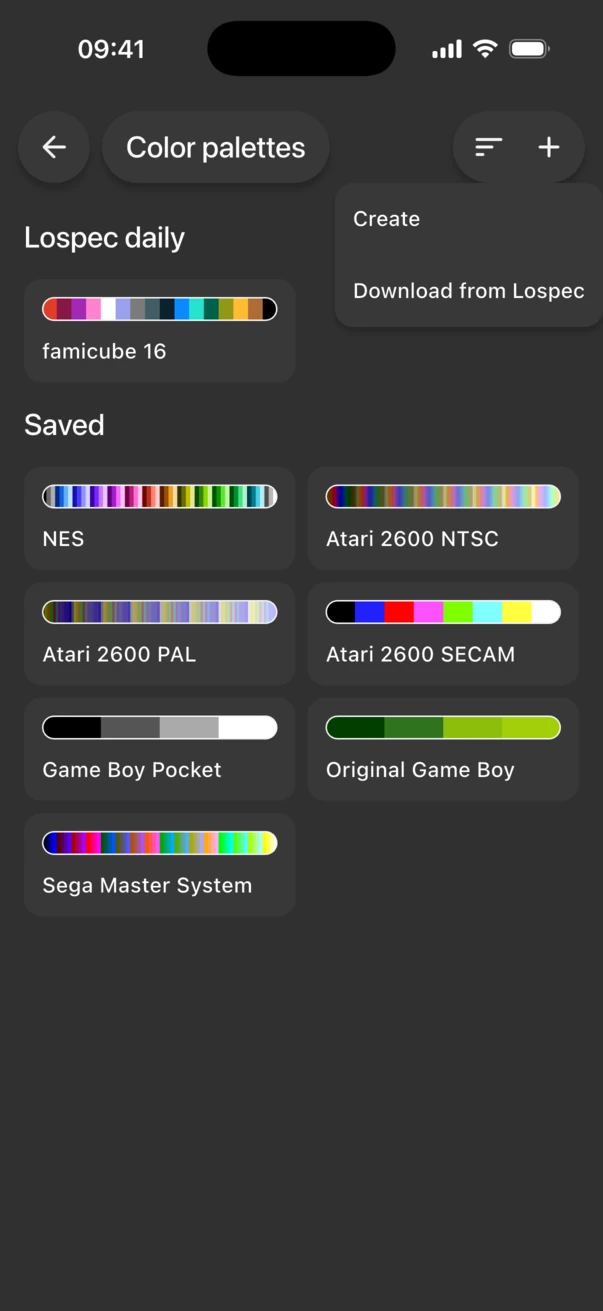
- In the gallery, tap ⋮ in the top-right corner and choose Color palettes.
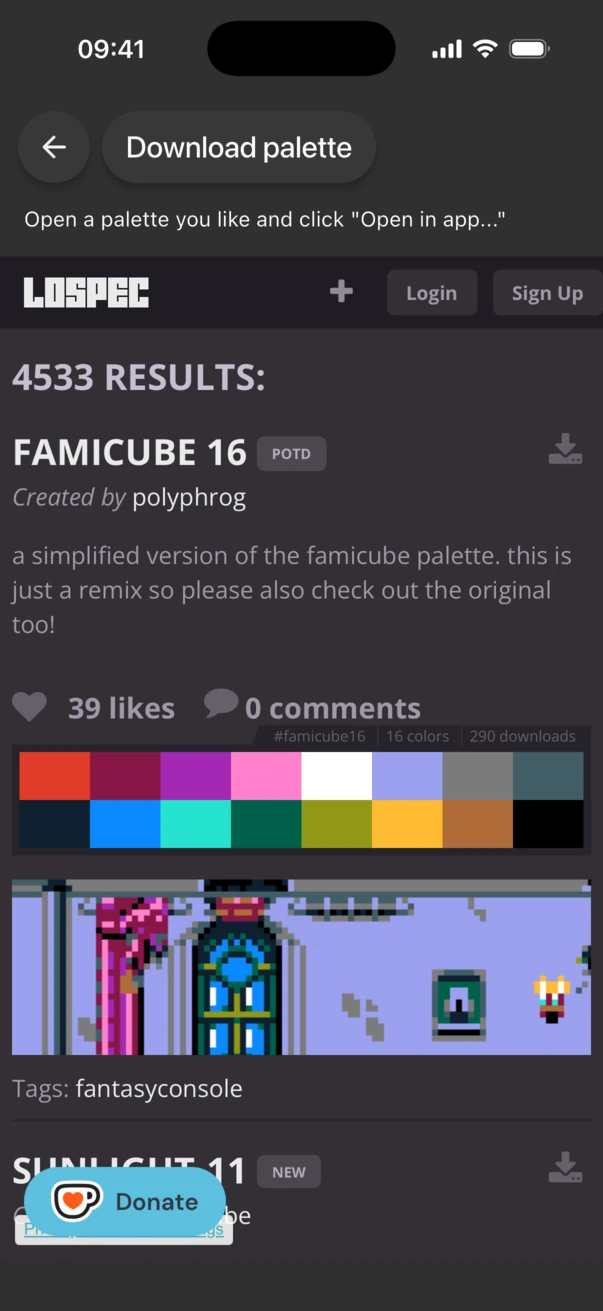
- Tap + and choose Download from Lospec.
- Browse or search the palette list and find a palette you like.
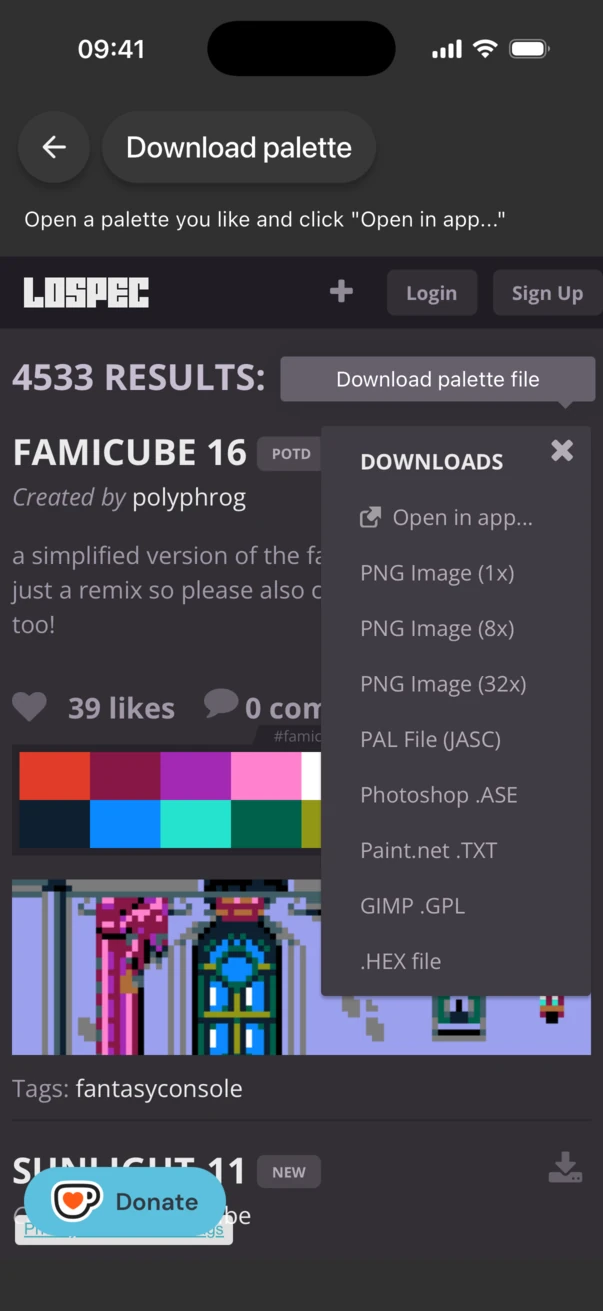
- Tap the download button next to the palette and choose Open in app....
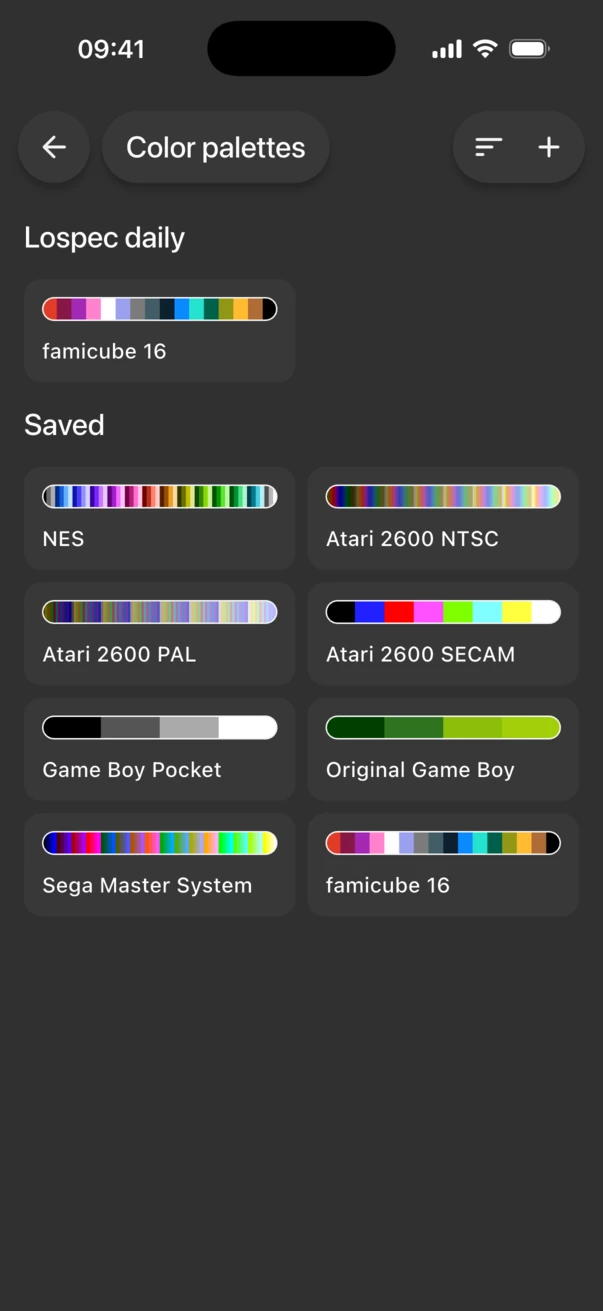
- Inktica saves the palette and takes you back to Color palettes, where it appears under Saved.
Use the palette in a drawing
When you create a drawing, open the Palette menu in Create drawing and pick your palette. If it isn't listed, choose More to open Color palettes, where you can also download a new one from Lospec.
To change a downloaded palette, tap it under Saved. You can add, edit, reorder and sort its colours.
The Lospec palette of the day
Every day, Inktica shows Lospec's daily palette at the top of Color palettes, under Lospec daily, with a matching drawing template. To keep a daily palette after the day ends, tap it and choose Save copy.
Frequently asked questions
Can I download a Lospec palette from my phone's browser?
Not directly. Open the palette list from Color palettes in Inktica instead, so the palette can be saved to the app.
Why did the download fail?
Downloading needs an internet connection. If you see "Failed to download palette", check your connection and try again.
Do I need Pro to download palettes?
No. Downloading and editing palettes is free.