
Inktica used to show Compression level and Filter under Advanced when you exported a PNG, APNG or SHEET. We removed them because they never changed how your exports looked. All three formats are PNG files, and PNG is lossless, so every pixel always came out exactly as you drew it.
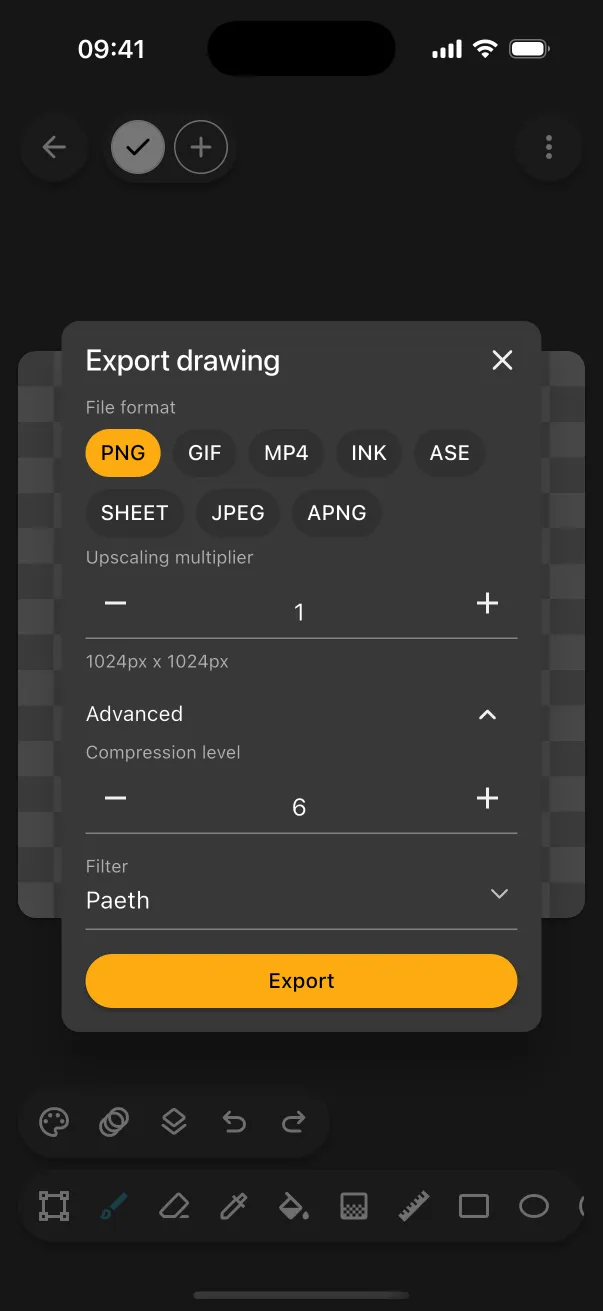
Compression never affected quality
The compression level only traded file size against export time. Higher levels made slightly smaller files that took longer to save, and every level opened to exactly the same pixels. Inktica now uses level 6, a good balance of size and speed.
Filter never affected quality either
The PNG filter isn't a resize filter like the smoothing that makes pixel art blurry. It's a reversible step that runs before compression to help the file shrink, so it only ever affected file size.
Inktica doesn't need a resize filter at all. The upscaling multiplier is always a whole number, so every pixel becomes a solid block of identical pixels and no colours are blended. That makes upscaled pixel art very repetitive, which the Paeth filter Inktica now always uses compresses well.